
On an ordinary Bali weekday morning, the first reliable signal often matters before breakfast: ordering a ride, replying to work messages, finding a laundry pickup, or getting directions to a viewing in an unfamiliar lane. A local number quickly becomes part of daily life, but it is worth setting it up properly rather than buying the first “tourist SIM” offered outside the airport.
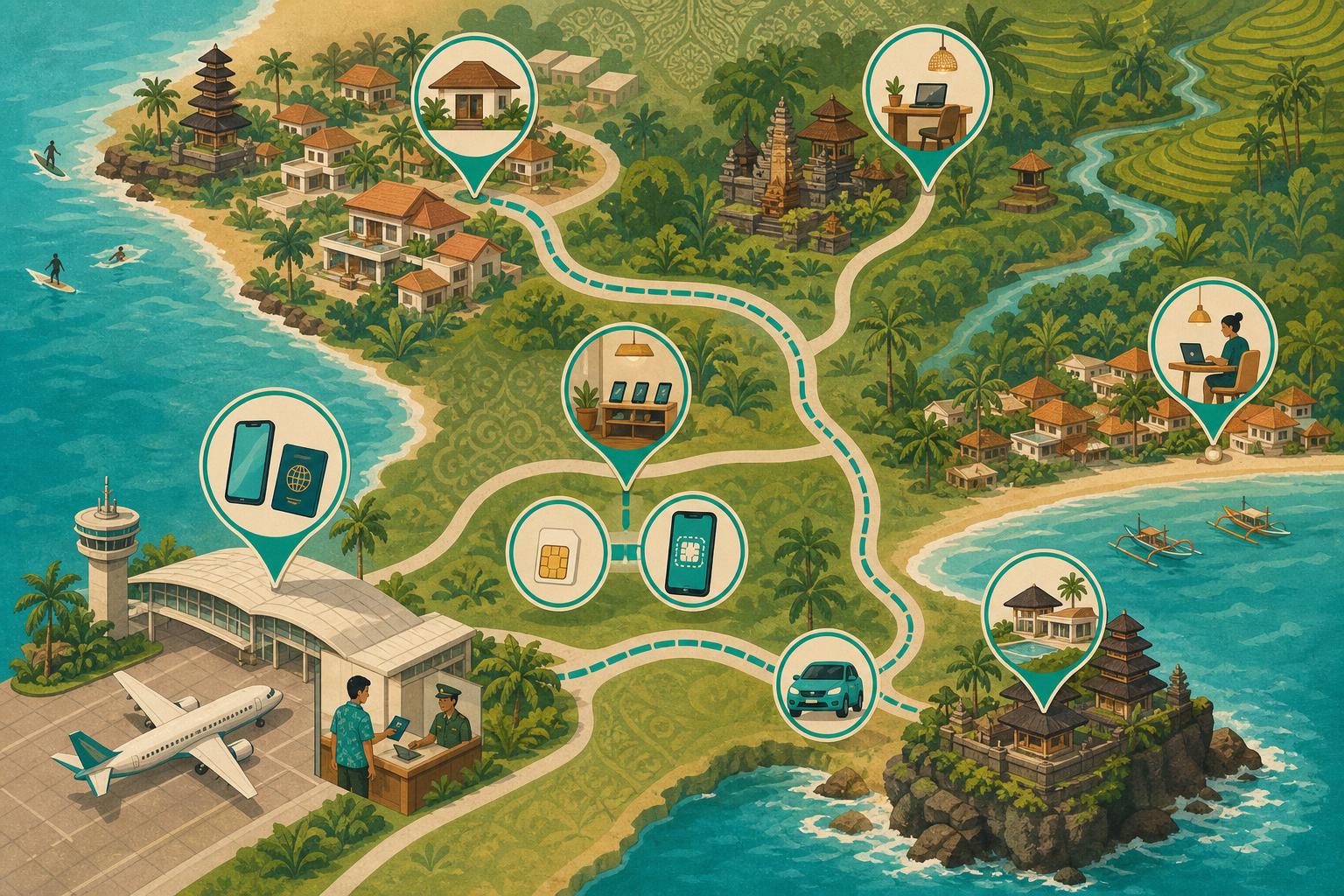
For a new resident, the practical sequence is simple: decide whether your overseas phone needs IMEI registration, choose a physical SIM or eSIM from an official channel, complete the operator’s identity registration through the required channel, then test the network where you will actually live and work. The details matter because a local Indonesian subscription, an overseas handset and a prepaid number’s validity are three separate things.
Getting connected in Bali starts with your phone, not the SIM counter
Before choosing a provider, check whether your phone is unlocked, supports eSIM if that is the route you prefer, and can use two active lines if you intend to keep your overseas number available. Keeping an overseas line for existing banking or account recovery while adding an Indonesian number can make the first weeks of a move less disruptive.
The key distinction is this: an eSIM bought from an Indonesian operator is still a local Indonesian mobile subscription. It may be more convenient than inserting a physical card, but it does not bypass Indonesia’s IMEI rules for an overseas-bought handset.
Foreign visitors using an Indonesian SIM can obtain temporary device access through operator IMEI registration for up to 90 days. Overseas devices using a foreign SIM through international roaming are separately exempted from Customs IMEI registration, whether the SIM is physical or embedded. That gives a short-stay visitor and a resident planning a longer local-SIM setup different decisions to make.
- Using international roaming only: Customs IMEI registration is separately exempted for an overseas device using a foreign SIM through roaming, but roaming is a different arrangement from a local prepaid subscription.
- Using a local SIM or local eSIM briefly: the operator’s temporary IMEI registration for up to 90 days can be relevant, but do not treat it as a long-term solution.
- Moving to Bali or staying long term: deal with IMEI registration early if your phone was bought overseas and you want Indonesian-network access; Customs registration is unavailable after 60 days from arrival, so do not wait for the 90-day tourist allowance to expire.
- Buying a local handset: ask the seller about the device’s status, but keep the purchase record and do not assume a SIM seller can solve an IMEI problem.
This is also a useful housing-search consideration. Signal can feel entirely different inside a particular room, behind a thick villa wall, or along the route to a coworking space. When comparing homes through Livuma’s live rental inventory, add mobile coverage to your viewing questions alongside Wi-Fi, power and access; only an on-site test can show how your own phone behaves there.
Physical SIM versus local eSIM in Bali: choose the setup you can manage
A physical prepaid SIM is the straightforward option for a phone with an available SIM slot. It is also useful for residents who want to move the number between handsets. A local eSIM avoids handling a tiny card and can be convenient when a phone supports dual SIM operation, especially if you need to leave your home-country line active.
Neither format is automatically more reliable. Reliability depends on the network, your handset, the precise location and local conditions. The practical choice is therefore about your device and how you want to manage two numbers, not a promise that eSIM has stronger coverage.
From 1 July 2026, biometric registration became mandatory nationwide for new customers, while existing customers’ biometric re-registration remains voluntary. However, Permenkomdigi No. 7/2026, effective from 19 January 2026, distinguishes Indonesian citizens’ NIK-plus-facial-biometric registration from foreigners’ passport and valid immigration-document verification; it does not explicitly impose the same facial-biometric requirement on foreigners. A legitimate activation should involve you and your identity documents rather than a seller handing over a card that is already running. Starter cards must be distributed inactive and activated only after validated registration.
For Telkomsel/SIMPATI prepaid registration, foreign nationals can use a passport, KITAS or KITAP, and Telkomsel directs foreign customers to GraPARI or designated outlets with the original document. Tourists do not all need to possess KITAS or KITAP. However, Telkomsel’s current standard prepaid-eSIM FAQ specifies KITAS validation for foreigners; do not assume passport-only tourist eligibility for that product. Read the operator’s foreign SIM registration guidance before you go, particularly if your arrival documents or stay status are changing.
Airport counters, GraPARI and authorised outlets
An airport counter can be useful when you need connectivity immediately, but it is not the only safe option. In the first day or two, an official GraPARI or operator store gives you a better chance to ask about activation, eSIM compatibility, the operator app and top-up options without rushing between arrivals, transport and accommodation.
Use a clearly identified official or authorised outlet that completes registration while you are present. Avoid a “ready-active” SIM tied to another person’s identity, even if it looks easier. It creates an obvious account-control problem and runs against the registration standard being enforced.
IMEI registration at Ngurah Rai: the arrival step long-term residents should not miss
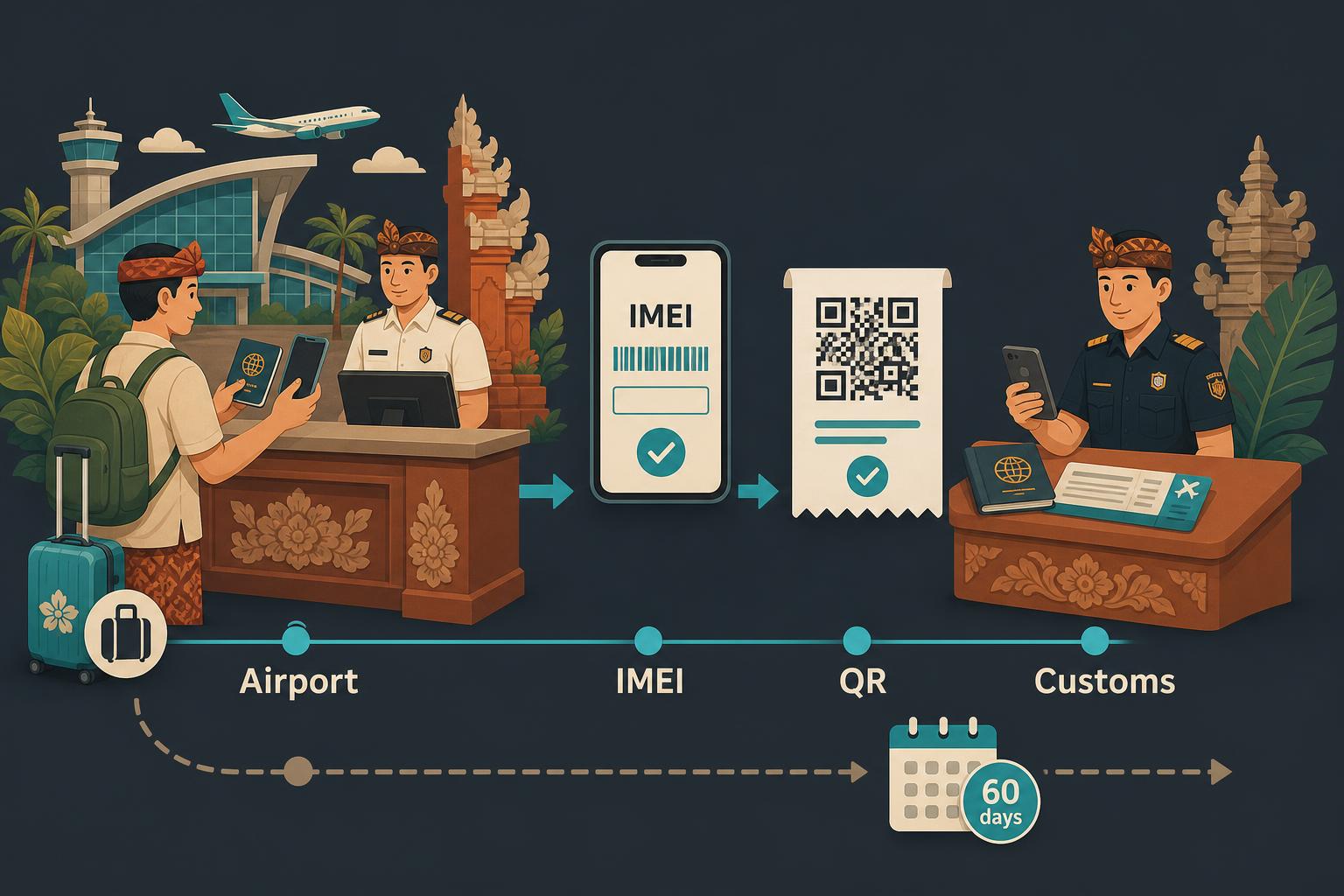
For longer-term use of an overseas-bought phone, cellular handheld computer or cellular tablet on Indonesian mobile networks, Customs says the device’s IMEI must be registered. IMEI registration itself has no service fee. If money is due, it is customs duty or import tax on the imported device, not a fee for putting the IMEI into the system.
The easiest moment to preserve the passenger personal-goods allowance is while you are still in the customs area at arrival. Customs states that declared passenger personal goods can use an allowance of up to US$500 per passenger per arrival; this is not a separate allowance for each phone. If you have already left the airport or customs area, registration remains possible for up to 60 days after arrival. Leaving does not always eliminate the allowance: where officials recorded your passport and IMEI at arrival, Customs permits completion within five days with the allowance preserved. Undeclared devices registered later do not receive the allowance. Customs says registration is unavailable after the 60-day deadline.
Use Customs’ online IMEI registration form to prepare the details. It accepts a passport and requests arrival and flight information, nationality, IMEI numbers, handset brand and model, plus an optional NPWP tax number. At Ngurah Rai, post-arrival in-person registration requires the QR or online-registration receipt, passport pages including the arrival stamp, ticket or boarding pass, the device, and optionally an NPWP and proof of purchase.
Duty and tax are about the imported device, not the number
Under the Customs FAQ reflecting PMK 34/2025, applicable to arrivals on or after 6 June 2025, qualifying personal passenger goods above the applicable allowance can incur 10% import duty plus VAT at 12% applied to an 11/12 tax base—effectively 11% of the import tax base. Customs states that no import-income-tax charge applies to this category. The official passenger-goods FAQ is the place to check the current process before you fly, rather than relying on a social-media walkthrough.
If you carry several devices, confirm the applicable registration procedure directly with Customs before arrival, including how to document that they are for personal, non-commercial use.
Telkomsel, IM3 and XL in Bali: pick a primary network by your actual route
The three principal consumer networks to consider are Telkomsel/SIMPATI, Indosat’s IM3 and XLSmart’s XL brand. There is no honest single answer to “which is best everywhere in Bali.” A villa in Ubud, a kost near Berawa, a desk in Pererenan and a regular drive toward Uluwatu are different test environments.
For a coverage-first starting point, Telkomsel is the sensible first line to test: Opensignal’s June 2025 Indonesia report ranked it first for Coverage Experience across populated Indonesia. But historical Bali-Nusa measurements in Opensignal’s December 2025 report, collected from 1 August to 29 October 2025, show a more nuanced picture. Telkomsel was far ahead for 5G availability at 22.4% and 5G download speed at 82.6 Mbps. IM3 led Time on Network at 97.6%, Consistent Quality at 72.1%, and Reliability Experience at 872. XL measured 97.0% Time on Network, 70.5% Consistent Quality and 44.4 Mbps 5G download speed.
Those are historical Bali and Nusa Tenggara regional measurements, not the latest rankings or a guarantee for an individual house. Treat them as a reason to test, not as a substitute for testing. The Bali-Nusa network report supports using Telkomsel as a coverage-led primary option while checking IM3 or XL as a potential backup at the places that shape your week. In August 2026, RRI reported XLSMART’s claim of more than 1,000 Bali 5G base stations across Denpasar, Badung, Bangli, Tabanan and Gianyar; that is an operator-reported count, not independently audited coverage.
| Daily-life setting | What to test before committing | Useful network approach |
|---|---|---|
| Canggu and Berawa | Indoor signal at the rental, coworking calls and the route between them | Begin with Telkomsel/SIMPATI, then compare IM3 or XL at your actual address |
| Ubud | Signal inside the room where you work and on the roads you use most | Test a primary line and a second network before making it your work backup |
| Uluwatu | Coverage at home, at your regular work spot and on the commute route | Use a field test instead of relying on a Bali-wide “best network” claim |
| Sanur | Reception inside the home and at the places where you make calls or use apps | Compare networks in the exact places where a stable number matters |
If your move is centred on one of these areas, use the property search itself to plan the test route: browse long-term rentals in Ubud, long-term rentals in Uluwatu, or long-term rentals in Sanur, then test the phone at the precise properties and nearby work locations you are seriously considering.
Bali prepaid data costs: official monthly package examples, not fixed market rates
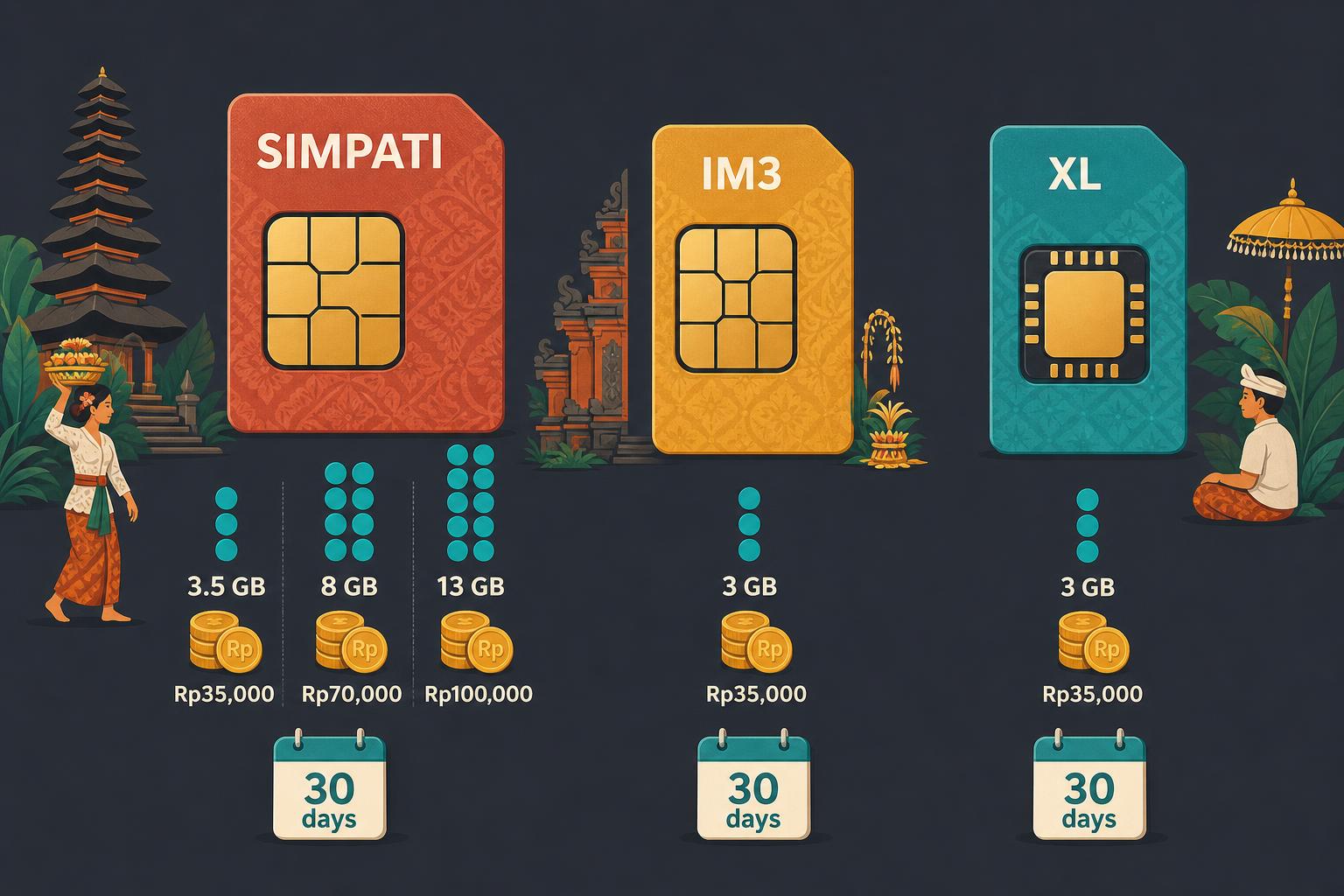
Prepaid package prices change, and offers shown in an operator app can depend on the account, starter pack, location or promotion. The figures below include official prices checked on 10 November 2026, not permanent Bali market rates. Check the operator app before paying and read whether a bundle is unrestricted data or includes app-specific quota.
- Telkomsel/SIMPATI starter pack: check Telkomsel for current starter-pack prices and inclusions. As of 10 November 2026, Telkomsel’s Tourist Prepaid Card FAQ advertises Rp150,000 for 25 GB plus 25 minutes of local calls; this is the published FAQ price, not confirmation of stock or airport-counter availability. The tourist card is restricted to international tourists, with passport and IMEI validation.
- Telkomsel/SIMPATI standard 30-day data: Pasti SIMPATI lists 8 GB for Rp70,000 or 13 GB for Rp100,000 as of 10 November 2026. It replaced the Terbaik Untukmu refill package on 4 September 2026; the starter card retains the Terbaik Untukmu name.
- Telkomsel “Seru Nonton”: an entertainment-focused package option; check Telkomsel for current prices, validity and the split between entertainment-specific and unrestricted data before buying.
- IM3 eSIM Freedom Internet starter: the official eSIM shop lists 12 GB for Rp55,000 and 25 GB for Rp80,000 as of 10 November 2026, both with 30-day main-data validity. These are domestic product listings, not verified passport-only tourist offers.
- XL prepaid starter: check XL for current physical-SIM and domestic eSIM starter prices and inclusions. As of 10 November 2026, XL’s tourist eSIM page lists 14 GB for Rp46,000, 30 GB for Rp70,000, 55 GB for Rp100,000, 80 GB for Rp140,000 and 150 GB for Rp168,000, all with 30-day validity. The page labels these volumes “Main Quota” and includes five minutes of calls to all operators per tier. Online purchase requires a foreign passport, email and device IMEI; Indonesian passport holders are ineligible for this tourist product.
- by.U: another prepaid option to compare; check by.U for current data packages, validity and any physical-SIM order charges rather than relying on older promotional examples.
For a resident who relies on video calls, hotspotting or frequent navigation, a low-cost starter pack is best treated as a field-test tool. Watch how much data your routine actually uses before buying a larger package. A bundle that sounds large may contain quota allocated to particular entertainment services, which is not the same as open data for work, maps and calls.
Top up through the operator app before your first package runs out
Once the number is activated, install the operator’s app and connect the line to it immediately. This makes it easier to see package terms, remaining quota and payment options without returning to the original seller.
MyTelkomsel supports top-ups and package purchases through major e-wallets including GoPay, DANA, OVO, ShopeePay and LinkAja, as well as credit or debit cards and bank transfers. The myXL app lists airtime balance, debit or credit card, e-wallet, virtual-account and PayLater options. Available payment methods can be useful when you have not yet set up all local financial services.
Keep the original physical SIM, or the eSIM QR and activation information, somewhere secure. If the phone is lost, damaged or reset, those records can matter when you need to recover access. A number that is used for account logins is not just a data purchase; it is part of your personal administration.
Do not confuse data-package expiry with number validity
A data package’s validity period and the SIM number’s active period are not the same. You can have no usable data left while the number remains active, or risk losing a number even though you focus only on a package renewal. Check both in the operator app.
Test mobile data before signing a long-term Bali rental
Do a short, repeatable test during a viewing: make a call, send a message, open a map, load a work page and try the places where you will actually sit. Stand in the bedroom, desk area, kitchen and outdoor space rather than checking only at the gate. If the home has a separate office, guest room or lower-floor room, test there too.
For work-critical connectivity, test at more than one time of day if you can. Then test the commute route and the coworking space or café you expect to use. A second local network can be a practical backup, but it should be chosen after evidence from your own routine rather than based on a general recommendation.
When a rental conversation moves beyond the viewing, retain a written record of what has been agreed. Keep viewing arrangements, move-in details and any promises about connectivity together. That does not replace checking signal yourself, but it can reduce the chance that basic property arrangements disappear into scattered messages.
Keep a Bali phone number active for banking, rides, deliveries and 2FA
A local number often becomes attached to ride-hailing, delivery, property-management and two-factor-authentication accounts faster than expected. Treat its maintenance as a small monthly task. If you change numbers, update important accounts while the old line still works.
- Save the number in international format: +62….
- Keep the physical SIM or eSIM QR and registration receipt.
- Add the number to the operator app immediately after activation.
- Set a recurring reminder for the SIM’s active period and for the separate data-package expiry date.
- Extend the number’s active validity through an eligible top-up or package purchase rather than relying on a small unused airtime balance.
- Update banking, ride-hailing, delivery, property-management and 2FA accounts before changing numbers.
For Telkomsel/SIMPATI, an inactive prepaid number enters a 30-day grace period. During grace, outgoing calls and SMS are unavailable, but remaining data-package allowance can still be used. After that, the number, remaining credit and package expire; unused quota or airtime does not prevent expiry. Topping up airtime extends active validity according to the amount, up to an accumulated maximum of 365 days; buying an eligible package follows the longest applicable validity rather than automatically adding every package’s days, and can also restore a number from grace period. Telkomsel also reserves the right to deactivate a SIMPATI service if it is not connected for 90 consecutive days.
The resident habit is simple: do not let a number tied to important logins quietly lapse while you are travelling, switching phones or relying on home Wi-Fi. A few minutes in the operator app is easier than rebuilding account access later.
Who should avoid relying on a single Bali SIM line?
Do not rely on one line alone if your work depends on time-sensitive calls, if you use your number as the only recovery method for important accounts, or if you regularly move between several Bali areas. The sensible setup is a primary network tested at home plus a backup route that has been tested where you actually go.
Likewise, do not make a long-term local-SIM plan around a handset whose IMEI status you have not checked. A cheap, ready-active card from an unofficial seller may feel like an arrival shortcut, but it does not solve identity registration, device access or future account recovery.
For most new residents, the low-drama route is: register the handset correctly if needed, activate a SIM or eSIM in your own identity at an official channel, begin with a modest package, test it at home and work, then set reminders to protect the number you have attached to daily life.